Trend Explorer
Recent download momentum
Hourly download deltas for the last 48 hours.
Latest hour +0 Jul 26, 5 PM
Peak hour +2 Jul 26, 9 PM
Average +0 per hour
About this addon
What it does
ChatBarBlocks
Overview
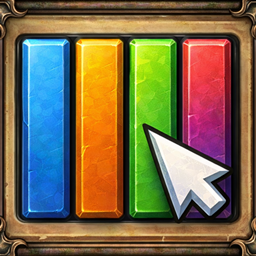
ChatBarBlocks is a minimalist chat channel switcher that adds sleek colored bars to your screen. Click any bar to instantly switch your chat input to that channel — no more typing /g, /p, /raid!
Features
Core Features
- Colored Channel Bars — Each chat channel gets its own colored bar matching WoW's default chat colors
- One-Click Channel Switching — Click a bar to instantly switch your chat input
- Text Preservation — Already typing? Your text is preserved when switching channels
- Message Flashing — Bars flash when new messages arrive (Party, Raid, Guild, Whisper, Officer)
- Progressive Flash Speed — More unread messages = faster flashing
Special Buttons
- Roll Button — Quick /roll 100 in your currently selected channel
- Ready Check Button — Initiate ready checks (party/raid leader only)
Customization Options
- Horizontal/Vertical Layout — Choose your preferred orientation
- Adjustable Size — Block width, height, and gap between blocks
- Scale & Transparency — Fine-tune the bar's appearance
- Lock Position — Prevent accidental dragging
- Minimap Button — Quick access via LibDBIcon
Advanced Features
- Dynamic Channels — Show channels only when contextually available:
- Party bar appears only when in a group
- Raid bar appears only when in a raid
- Guild bar appears only when in a guild
- Whisper bar appears after receiving a whisper
- Smooth Slide-in Animation — Bars elegantly animate on load/reload
- Hover Effects — Visual feedback with border color animation
- Tooltips — Hover to see channel names in matching colors
Slash Commands
| Command | Description |
|---|---|
/cbb |
Show available commands |
/cbb options |
Open configuration panel |
/cbb lock |
Lock the bar position |
/cbb unlock |
Unlock the bar for dragging |
/cbb reset |
Reset all settings to defaults |
/cbb tooltip |
Toggle tooltips on/off |
Configuration Panel
Access via /cbb options or left-click the minimap button:
- Locked — Disable dragging
- Stop flashing on hover — Hovering over a flashing bar stops the animation
- Show tooltips on hover — Display channel name tooltips
- Show ROLL button — Toggle the /roll 100 button
- Show READY CHECK button — Toggle the ready check button
- Dynamic channels — Show channels only when available
- Show minimap button — Toggle the minimap icon
- Minimap button radius — Adjust minimap button distance
- Horizontal/Vertical — Switch layout orientation
- Block width/height/gap — Customize bar dimensions
- Bar alpha/scale — Adjust transparency and size
Minimap Button
- Left-click — Open options panel
- Right-click — Toggle lock/unlock
Supported Channels
- Say, Yell
- Party, Raid
- Guild, Officer
- Whisper
- All numbered channels (General, Trade, LocalDefense, etc.)
Installation
- Download and extract to
World of Warcraft/_retail_/Interface/AddOns/ - Restart WoW or
/reload - Position the bar by dragging (unlock first if needed)
- Configure via
/cbb options
Created by Ogiz from Ukraine
At-a-glance numbers
Performance highlights
- Peaked at Hot #2492 on Jul 5, 2026.
- Peaked at Rising #4776 on Jul 25, 2026.
- Featured on the Hot list across 6 distinct weeks.
- Shipped 1 release in the last 30 days.
- Averaging 4 new downloads per day over the past week.
Visuals
Screenshots 2
Use real gameplay shots to assess the addon before installing.