Trend Explorer
Recent download momentum
Hourly download deltas for the last 48 hours.
Latest hour +5 Jul 26, 2 AM
Peak hour +5 Jul 26, 2 AM
Average +1 per hour
About this addon
What it does
BarShelf

Hide your action bars. Access them on demand.
Barshelf lets you declutter your UI by hiding Blizzard's action bars and accessing them through a compact floating dock. Click a shelf handle to pop open your action bar in a customizable grid — then click again (or press ESC, or click away) to dismiss it.
Since Barshelf reparents Blizzard's actual buttons (not copies), everything works natively in combat: cooldowns, usability, range coloring, proc highlights, and tooltips.
Features
- Bar Shelves (Bars 1–8) — Reparent any Blizzard action bar into a popup grid. Cooldowns, range checks, and proc highlights work in combat.
- Custom Shelves — Drag spells, items, or macros onto buttons to create your own popup groups (OPie-like).
- Configurable Grid — Set # of icons, # of rows, icon size, and padding per shelf. Auto-detects Blizzard's Edit Mode settings when adding a bar.
- Multiple Docks — Horizontal or vertical. Drag the grip to reposition. Each dock holds any number of shelves.
- Appearance Controls — Dock/shelf/handle background opacity, border toggle, padding, handle icon and font sizes — global defaults with per-shelf overrides.
- Edit Mode Aware — Entering Edit Mode temporarily restores hidden bars so you can configure Blizzard's settings. Changes are picked up automatically on exit.
- Profiles — AceDB profile support. Switch, copy, or reset configurations per character.
- Blizzard Settings Integration — All options live in the AddOns tab with subcategories: General, Appearance, Shelves, Docks, Profiles.
Getting Started
- Type
/bsor click the minimap icon to open settings. - Go to the Shelves tab and click + Add Bar Shelf.
- A dock appears on screen with your shelf handle — click it to toggle the popup.
- Right-click any handle to jump to that shelf's settings.
- Drag the dotted grip on the dock to reposition it.
Slash Commands
/bsor/barshelf— Open settings/bs reset— Reset dock positions to center/bs rebuild— Force rebuild all docks and shelves
Tips
- Set your action bars to Hidden in Blizzard's Edit Mode — Barshelf hides them automatically when a shelf is active and restores them when removed.
- Use Custom Shelves for utility spells, profession cooldowns, or consumables you don't need on your main bars.
- Adjust # of Rows to create compact grids (e.g., 3 columns × 4 rows for a 12-button bar).
At-a-glance numbers
Performance highlights
- Peaked at Hot #1312 on Jun 30, 2026.
- Peaked at Rising #218 on Jul 1, 2026.
- Featured on the Hot list across 6 distinct weeks.
- Shipped 4 releases in the last 30 days.
- Averaging 8 new downloads per day over the past week.
Visuals
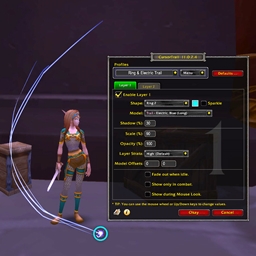
Screenshots 1
Use real gameplay shots to assess the addon before installing.