
Trend Explorer
Recent download momentum
Hourly download deltas for the last 48 hours.
About this addon
What it does
Need support, want to provide feedback or feature requests ? Join our Discord ❤️
ArtisanFinder
ArtisanFinder helps players find available crafters directly from the Crafting Orders UI, while giving crafters a simple way to publish prices, notes, quality expectations, reagent recommendations, and availability from the Professions UI.
Features
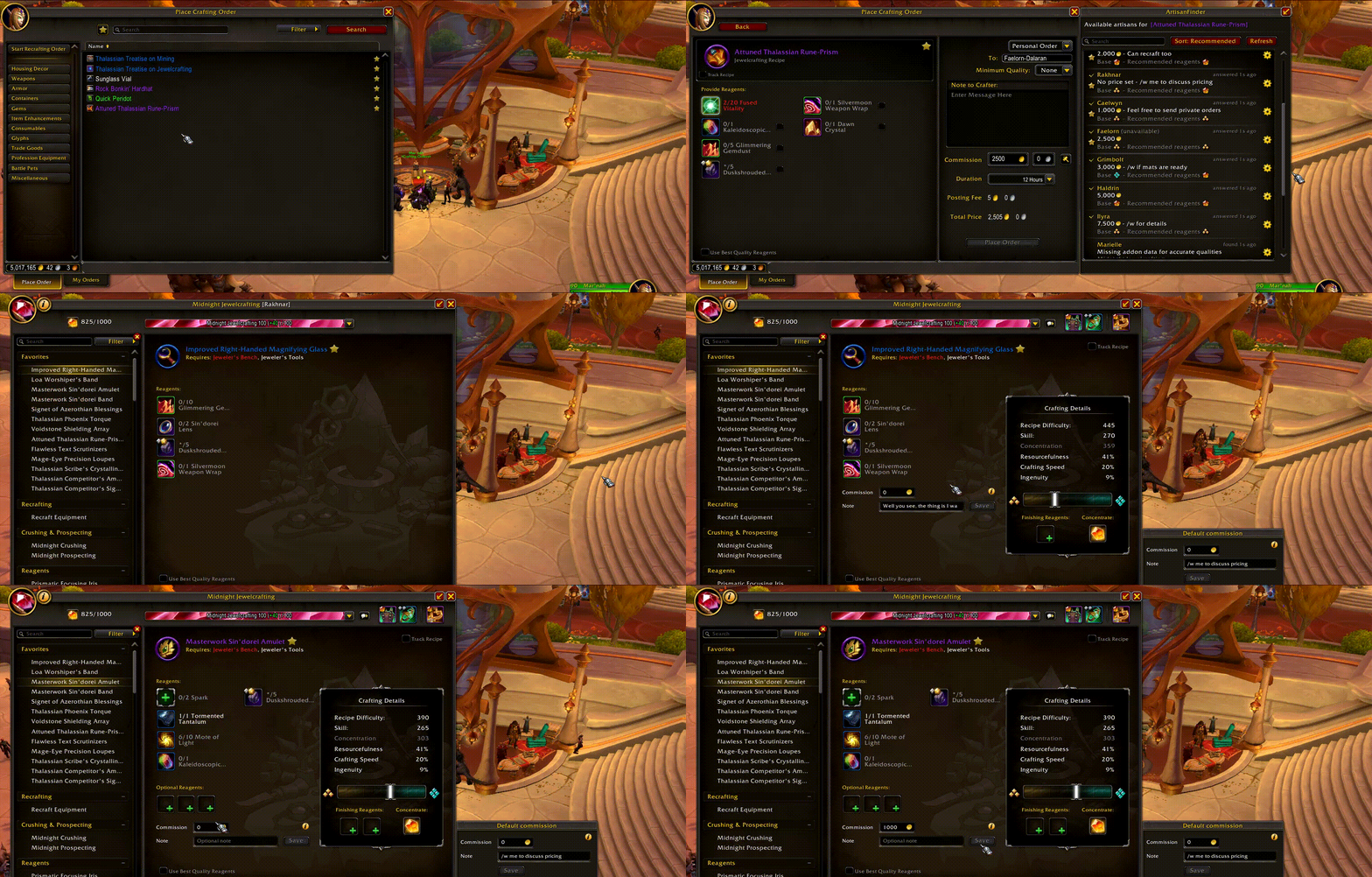
- Live artisan search from the Crafting Orders form.
- Crafter profiles with commissions, notes, quality data, and suggested reagents.
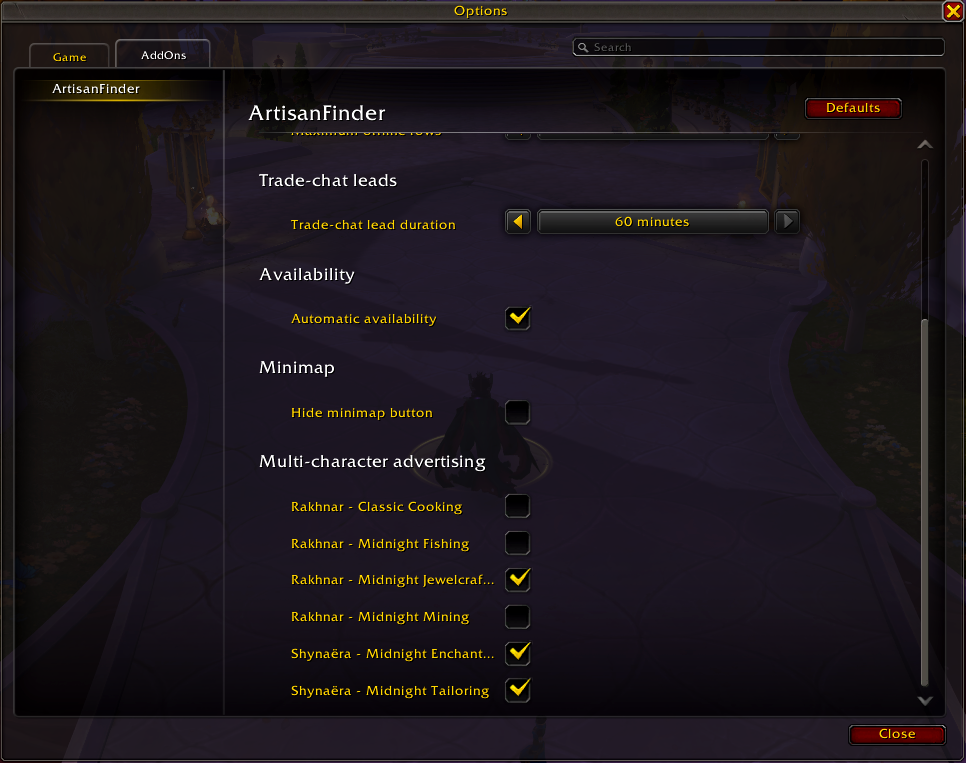
- Multi-character advertising for scanned professions from your alts.
- Guild and trade-chat crafter discovery.
- Favorites, search, sorting, online checks, and personal order helpers.
- Prepare Order tracking with Standard, optional-reagent, and Advanced preparation modes.
- Smart reagent guidance with expected quality estimates and material suggestions.
- One-click order filling from prepared craft materials when a matching artisan is selected.
- Personal order notifications for addon-enabled customers and artisans.
- Manual recipe scanning for supported crafting professions, with optional automatic rescans.
- Minimap, movable button, Options -> AddOns, and Blizzard Edit Mode controls.
- Localization for English, French, German, Spanish, Russian, and Chinese.
For Customers
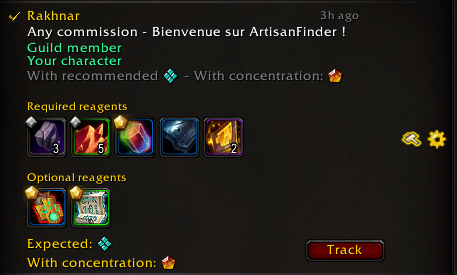
When you choose an item in the Crafting Order form, ArtisanFinder shows matching artisans who can help with that craft. Results can include commission, note, quality with recommended or optional reagents, AFK state, guild source, trade-chat leads, and actions for whispering or preparing an order.
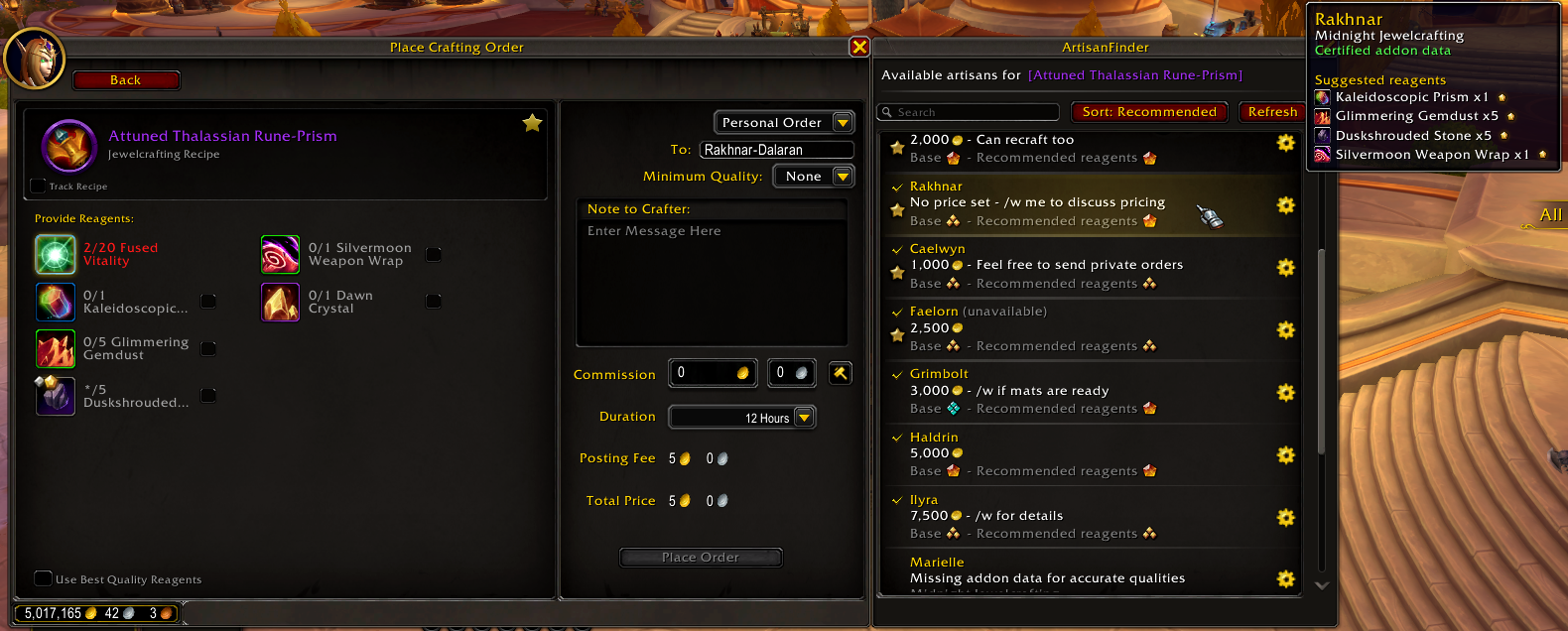
Use the customer row "Prepare order" button to prepare an order as Standard, With optional reagents, or Advanced. Standard preparation adds the craft to the ObjectiveTracker with required components and any artisan quality or reagent recommendations. With optional reagents opens Blizzard-style optional reagent slots inside the artisan row so you can choose one reagent per slot before tracking the craft. Advanced preparation lets you choose required reagent qualities and optional reagents before tracking the craft, with an expected quality preview when ArtisanFinder has enough information.
Prepared crafts appear under ArtisanFinder in the ObjectiveTracker with required components, vendor reagents, selected optional reagents, quantities, owned and missing counts, and quality markers where available. Left-click the craft header to open the profession recipe panel, right-click it to untrack, or use Search at the Auction House to run a temporary Auctionator multi-search for missing reagents when Auctionator is enabled.
When a prepared craft matches the order you are viewing, clicking a matching artisan row can apply the tracked materials directly to the Crafting Order form so you can review the order faster.
ArtisanFinder does not place orders for you. It only helps fill or open the right information so you can review everything before submitting an order yourself.
For Crafters
Quality, commissions and availability
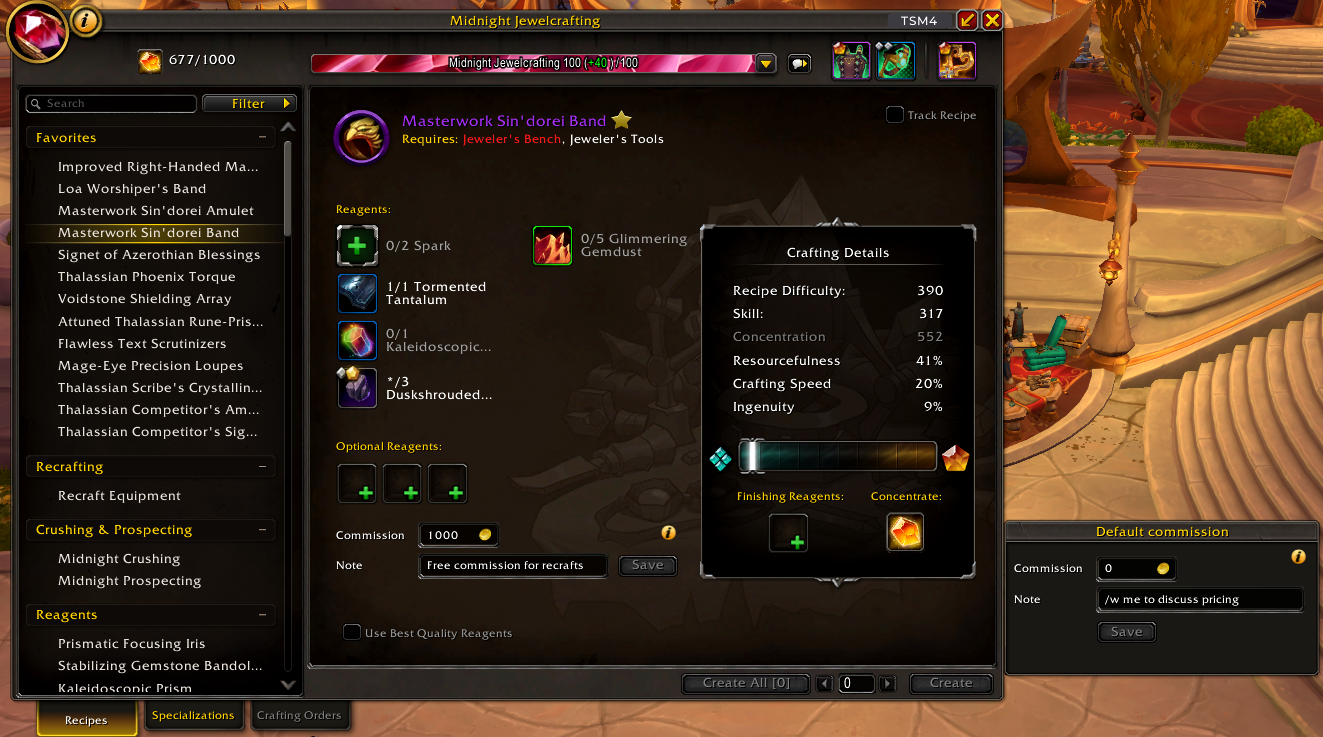
ArtisanFinder adds lightweight controls to the Professions UI for item-specific and profession-default commissions, notes, and availability. It stores scanned profession data and can advertise scanned professions from your other characters while you are online. The crafter panel also includes a customer preview tooltip so you can check what customers will see.
Availability is session-based and resets after login or reload by default. You can cycle between unavailable, current-character availability, and account-wide availability from the minimap button, optionally remember your last manual availability between sessions, or let automatic availability enable it in trade-chat areas and disable it in selected instance types. Profession scans can refresh automatically by default, or you can disable automatic scans in options and press Rescan in the Professions UI when you want to refresh stored craft data.
Notifications
If an addon-enabled customer places a personal order for one of your characters while you are on another character, ArtisanFinder can play your selected notification sound and show a loot-style notification with the item, customer, character, and commission. Notifications are remembered until cleared or completed, and the Blizzard crafting order minimap icon can also show known alt orders.

Reagent Guidance
For addon-enabled crafters, ArtisanFinder can show suggested reagent qualities for the selected craft. Reagent names and icons appear directly in customer tooltips, with optional difficulty estimates when scan data is available.
ArtisanFinder can estimate expected craft quality from the reagents you choose and suggest combinations that reach the best possible result.
Commission Values
Commission fields use a single gold input:
- Empty or
0: unspecified commission. -1: free commission.- Any positive number: commission in gold.
An item-specific commission takes priority over a profession default. If an item has no specific commission, the profession default can be used instead.
Options
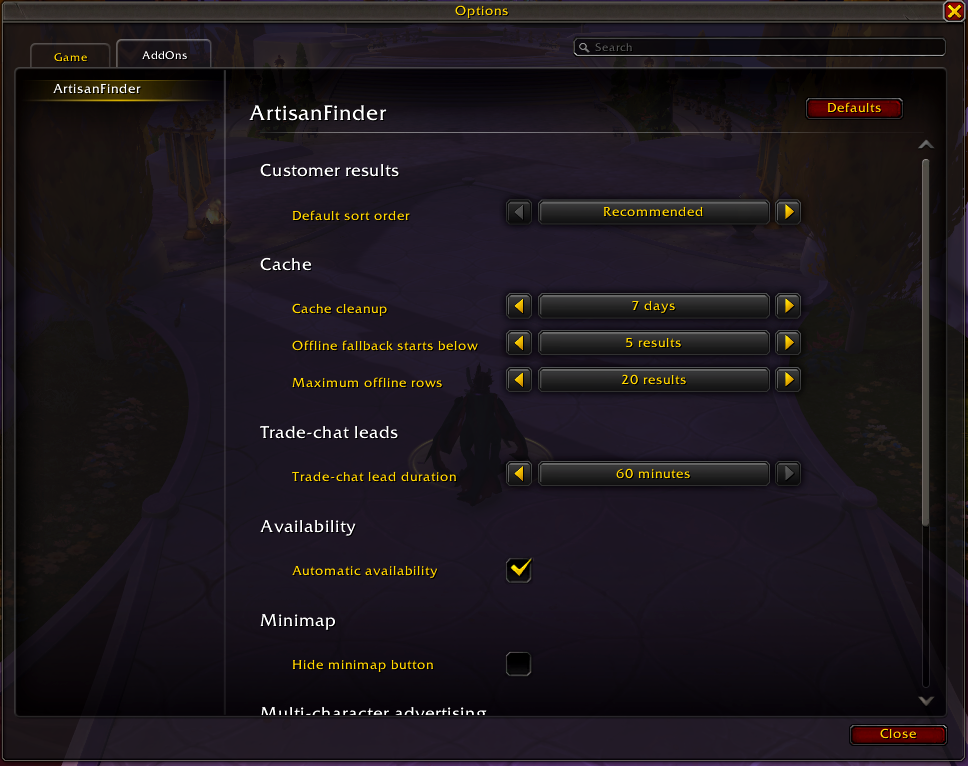
ArtisanFinder has an Options -> AddOns panel ordered around common controls first: minimap/button behavior, availability, scanning, trade-chat leads, order notifications, result sorting, cache behavior and advertised character professions. Blizzard Edit Mode controls the order notification toast and movable ArtisanFinder button placement.
The scanning section includes Artisan import / export. It creates a copy/paste payload containing scanned artisan profiles, profession pricing, advertising choices, and profession links, so another WoW account's artisans can be advertised alongside your main account.
Languages
ArtisanFinder includes localization support for English, French, German, European Spanish, Latin American Spanish, European Portuguese, Brazilian Portuguese, Russian, Simplified Chinese, and Traditional Chinese.
Source Layout
Runtime files are loaded from ArtisanFinder.toc, which preserves the required order for the addon namespace, localization, data, feature services, XML templates, UI attachments, and slash commands.
- Core/ contains bootstrap, saved-variable/data helpers, the event coordinator, shared utilities, and slash command handling.
- Data/ contains generated/static data tables.
- Utils/ contains shared formatting and tooltip helpers.
- Features/ contains customer, crafter, social/comms, and order-notification modules.
- UI/ contains XML templates plus options, minimap, edit mode, tutorial, and debug-log UI.
Useful Commands
/af: shows help for ArtisanFinder commands./af scan: force a fresh scan of the currently open profession./af auto: show current automatic availability state./af auto on: enable automatic availability in trade-chat areas./af auto off: disables automatic availability./af auto toggle: toggles the auto availability mode./af transfer: opens artisan import/export./af clear: show clear data commands.
Inspiration
ArtisanFinder was inspired by the convenience of Easycraft.io and the in-game Dofus Artisan list, adapted for World of Warcraft's Crafting Orders and Professions UI.
Special thanks
I would like to thank a few people who made this project possible by their feedback, their help in testing, as well as their help in designing some of the assets of the project: my sister for the beautiful icons, Foxas, Valkhes and Dolkian for their thorough testing and search for bugs, and Reiisal for his input on the addon's accessibility, feedback and continuous support during this adventure.
Third-Party Libraries
ArtisanFinder embeds several addon libraries under Libs/. Their license and notice information is listed in THIRD_PARTY_NOTICES.md.
At-a-glance numbers
Performance highlights
- Peaked at Hot #204 on Jul 21, 2026.
- Peaked at Rising #155 on Jul 21, 2026.
- Featured on the Hot list across 6 distinct weeks.
- Shipped 1 release in the last 30 days.
- Averaging 2 new downloads per day over the past week.
Visuals
Screenshots 7
Use real gameplay shots to assess the addon before installing.