Trend Explorer
Recent download momentum
Hourly download deltas for the last 48 hours.
About this addon
What it does
Overview
Alts is an addon that allows you to setup main-alt relationships and have that information displayed in various areas. It uses the LibAlts library to share data with other addons. For a list of other addons using LibAlts, see here.
Bugs/Enhancements
You can submit tickets here: https://www.wowace.com/projects/alts/issues
Features
Main/Alt information is displayed:
- When that character logs on
- When you do a /who on that character
- In unit tooltips
- From a command line interface
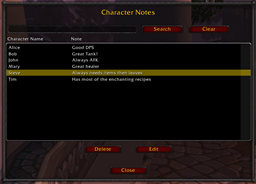
- From a GUI interface
Main/Alt information can be set and managed:
- By right-clicking on a unit frame
- From a command line interface
- From a GUI interface
- LDB launcher to bring up the GUI interface
- Minimap button to bring up the GUI interface
Command line options:
- alts <searchterm> - Brings up the main window. If search term is provided, it will use it to search the main-alt data.
- setmain <alt> <main> - Adds the specified alt as an alt of the specified main.
- delalt <alt> <main> - Deletes the specified alt for the specified main.
- getalts <main> - Gets the list of alts for the specified main.
- getmain <alt> - Gets the main for the specified alt.
Automated Guild Import
Alts will automatically scan the guild notes for a character who is in a guild. It the notes are in a certain format it will then store the main/alt information into a separate area from the main-alt data that a user enters. Every time the player logs onto a character in that guild, the guild main/alt data will be updated. This information is kept separate from main/alt data a user enters so it can be easily sync'd.
The following guild note formats work:
- <main name>'s alt
- Alt of <main name>
- ALT: <main name>
- AKA: <main name>
- (<main name>) Must be at the start of the note though.
- [<main name>] Must be at the start of the note though.
- <main name> alt
- <main name>
- ALT(<main name>)
The matching is not case sensitive. If a note with one of those formats is found and the main name is in the guild, then it will create a main/alt link.
The guild imported data and user-entered data are merged automatically when displayed or searched. The guild imported data cannot be modified from the user interface. The UI ignores edits to that data since all changes are performed only on user-entered data.
Guild Export
You can now export your guild roster in a comma-separated format (CSV). You can find this feature in the options under Guild.
- Fields to Export: You can choose which fields to export. The fields are in the order of the checkboxes on the export screen. The Alts field will add a field that lists all the alts for the character.
- Escape?: You can choose if the appropriate fields are escaped using double quotes. If some of the fields such as the notes have commas then you may want to try this option.
- Only Mains: This option will export all character in the roster who are not marked as an alt.
- Only Guild Alts: This option controls if the Alt field lists all alts you have defined or only alts defined by the guild notes. If you have setup alt relationships outside the guild notes and do not want them in the export, leave it checked. If you want all alts listed then uncheck it.
After you click Export, you can use Ctrl-A then Ctrl-C to copy the data in the export box to the clipboard. If you're using a Mac, use Command-A then Command-C. From the clipboard, you can paste the exported data into the target application.
Guild Log
Alts now takes a snapshot of your guild at logon and will report any changes at each logon. You can also bring up the log manually in the options menu under Guild. It does not monitor the guild roster while you are playing so it should not affect performance.
Friend/Ignore Logging
Alts also takes snapshots of your friends and ignore lists and displays any removed friends or ignores at logon. This is helpful because the default UI does not indicate names for characters that were deleted, renamed, etc. It does not monitor these lists while you are playing so it should not affect performance.
Enhancements or Bugs
If you want to report a bug or ask for an enhancement, feel free to submit a ticket:
At-a-glance numbers
Performance highlights
- Peaked at Hot #224 on Jul 22, 2026.
- Featured on the Hot list across 6 distinct weeks.
- Shipped 1 release in the last 30 days.
- Averaging 69 new downloads per day over the past week.